
Punch-in requests should only be made when we have forgotten to punch in on previous days.
How to do it?
Mobile App
Go to Sign in > Request sign in and record the day’s work.
If you prefer to watch it on video, we leave it here:
Web version
Go to Transfers > Request a transfer (in the blue button at the top right)
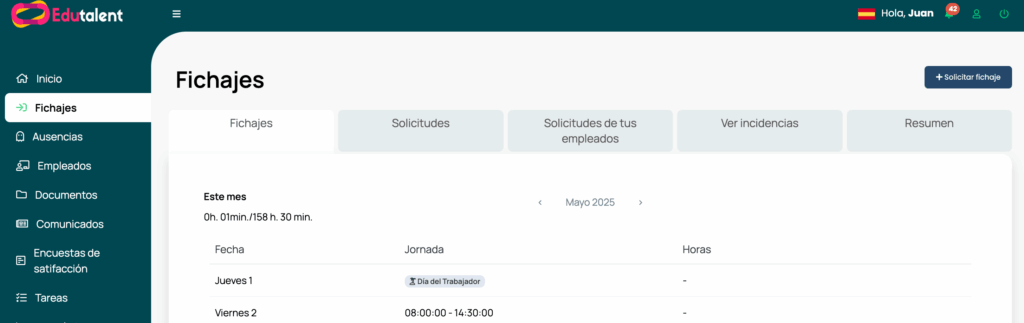
Once you click on it, the following window will open. In it you will have to indicate the date, the center and the schedules.
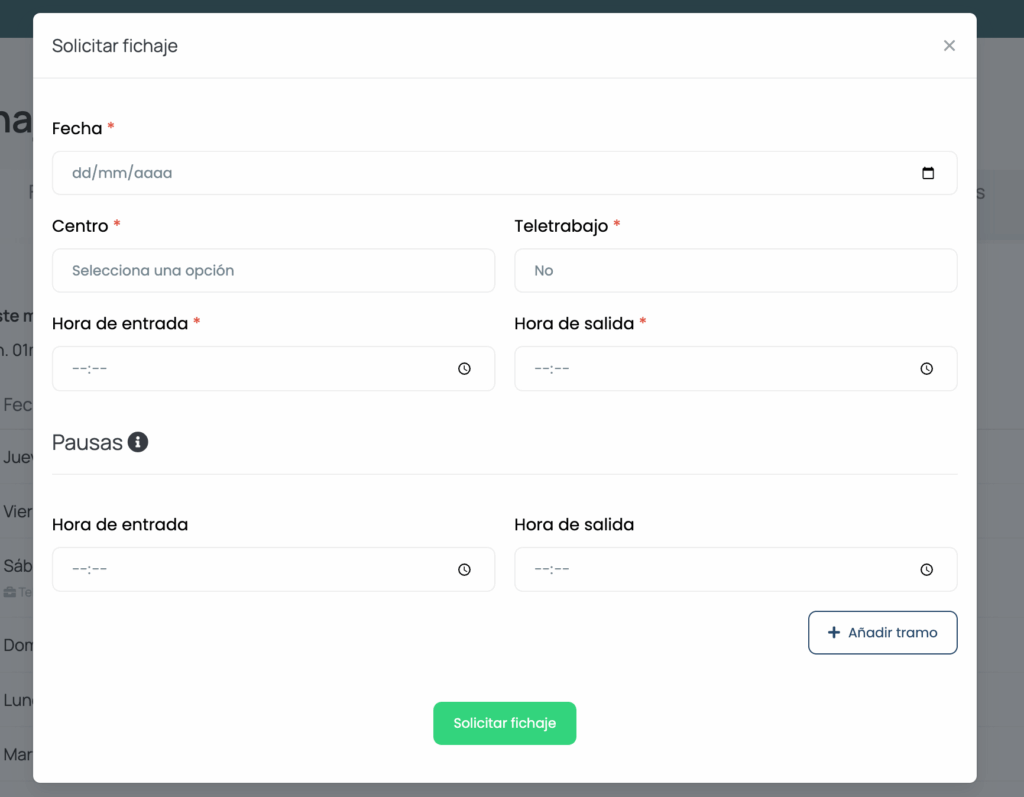
Once you do so, your manager will approve the clocking and it will be counted in your schedule.
If you prefer to see it on the web, here is a video:
If you have any doubts, contact us and we will help you right away.